
 客戶服務
客戶服務


- 同類別
- 同品牌
- 同價位

- Canon CRG-303 Toner Black
本店售價:$0.0
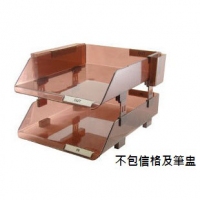
- INTELLI FS-1029 二層文件盤 (茶色)
本店售價:$48.0

- DELI 0130 二孔重型打孔機(100張)
本店售價:$298.0
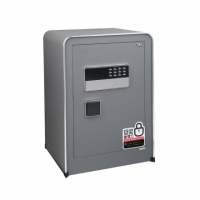
- Deli 4057 防盜電子密碼夾萬保險箱(W380 x D320 x H450...
本店售價:$1380.0
商品介紹
- 商品名稱:CASIO FX-CG20 科學型計數機
- 商品編號:OL007022
- 品牌:CASIO
- 上架時間:2015-04-26
- 商品淨重:0克
fx-CG20
Support your classroom with technology
Plastic keys
Natural V.P.A.M. display
List based STAT-data editor
Multi-replay
10 + 2 digits
Color display
Icon menu
Dot matrix display
Data communication with a personal computer
Features
More Colorful and Clear Graphic Expression
A next-generation color model that carries on the tradition of innovation in CASIO graphic scientific calculators!
Graphical color display!
Vivid colors and smooth fonts for easily readable graphs and formulas!
Picture Plot
Create function graphs overlaid on color images!
Color Link
Automatically links colors of values on the spreadsheet screen with colors used in graphs!
The innovative color display dramatically increases math learning efficiency.
Graphical Color Display
The color display, with more than 65,000 colors (384 x 216 pixels), is capable of rendering in crisp, clear colors line, pie, and bar graphs as well as minute details such as graph gridlines and coordinate axis labels and coordinate values displayed during tracing. In addition, the display features a high-quality LCD panel that delivers excellent visibility and low power consumption and enables long run time of approximately 140 hours from four AAA alkaline batteries.
Easy-to-read Fonts
The fx-CG20 comes with smooth, easy-to-read fonts with character definition of up to 18 x 24 dots that clearly display mathematical equations and other text. Furthermore, the calculator automatically color codes brackets to facilitate the input of complex equations with multiple brackets and improve equation viewability.
Color Link
The fx-CG20 features the Color Link function, which automatically links colors specified on the spreadsheet screen with colors used in graphs to support learning of functions by enabling visual confirmation of changes in values or trends.
Single image and multiple images make learning interesting and fun.
The calculator comes pre-loaded with visuals such as a single image (still image) of the curve of an arched bridge and multiple images (sequential images) of the rotation of windmill blades. The use of real-life visuals as background images for functions such as the drawing of graphs overlaid on color images makes mathematics learning a more visually familiar experience.
Graphing
Students can create a wide variety of graphs over real-life visual backgrounds.
Geometry
The use of real-life visuals makes it fun and easy to study various aspects of geometry, including the drawing of shapes, movement, and similarity relations.
Picture Plot
Students can search for and plot curves found in nature and their surroundings. Analysis of the plotted data deepens understanding of the function.
More than 50 pictures are pre-loaded on fx-CG20!!
G3P files — Single images
Plotted G3P files can be used in Graphing , Geometry , Picture Plot , and eActivity.
G3B files — Multiple images
Plotted G3B files can be used in Picture Plot.
Includes Many Basic Calculator Functions
Natural textbook display!
CASIO's original "Natural Expression Input Display" and "Natural Expression Output Display" make it possible to display fractions, exponents, logarithms, powers, and square roots just as they are written in the textbook. The result is enhanced student comprehension and improved math class efficiency.
Natural Input
Input expressions and arithmetic operations as they appear in written form.
Natural Output
Calculation results appear in the same format as they are written.
New functions that make studying mathematics more rewarding and fun
Vector Calculation
Perform operations on vectors and calculate the inner product and outer product.
Integral calculation improvement
Verify the integral value in real time while freely moving the interval using the cursor key.
New integral calculation function
Calculate the values of integrals and the area enclosed by two graphs.
Not only arbitrary points, but also points of intersectionand the points where Y=0 can be selected in the intervalof integration.New deviation commands
Population standard deviationand population variance commands have been added.
Random sampling of an existing list
Use shuffling or random selection to select data from an existing list and prepare new list data. Use the new list data to verify various statistical patterns
Auto parenthesis addition
This function clearly indicates the calculationorder when the calculation priority sequence is ambiguous.
Equation application improvement
The calculation result display has been improvedfor simultaneous equations with an infinitely number of solutions.
eActivity
fx-CG20 calculator come with the same eActivity capabilities that originally appeared on the ClassPad 330. Now teachers as well as students can create their own problems and study materials. Students get the opportunity to learn at their own pace for more efficient study both at school and at home. eActivity is a great motivator for learning and understanding.
Other Features
Probability
Normal distribution, Student's t-distribution, and other often-used statistical calculations are provided in function format for easier practical application.
List-based Statistics
Store a list of values in memory for use when performing function and statistical calculations, when drawing graphs, or when generating tables of numeric values.
Advanced Statistics
Perform tests, confidence interval, probability distribution, and other calculations and graphing.
Inequality Graphing
New support for graphing the inequality of an x=Constant graph and x=f (y) graph allows study of the area for which the x-range is defined.
Financial Calculations
- Depreciation
- Bond calculation
- Simple interest
- Compound interest
- Investment appraisal (cash flow)
- Amortization
- Interest rate conversion (annual percentage rate and effective interest rate)
- Cost, selling price, or margin
- Day or date calculations
Built-in Software
Spreadsheet
A multi-function spreadsheet with built-in graphing capabilities is a valuable tool for table calculation lesson exercises.
E-CON2
E-CON2 provides total control over the optional EA-200 Data Analyzer.
It makes it possible to measure changes in temperature, sound, or speed using the EA-200 without any troublesome settings or program input.Add-in Software
Pre-installed Software
Pre-installed add-in software comes installed on the calculator when you purchase it. You can use such software as-is, or you can delete it to free up memory.
Geometry
Picture Plot
Conversion
Physium
Probability Simulation*
Simulate probability events using dice roll, coin toss,or card draw and perform statistical analysis.
Coin Toss
Marble Grab
Dice Roll
Card Draw
Spinner
Random Numbers
* Downloading from the Web and user installation is required.
Enhance your lesson plans by linking the calculator to various devices.
Peripherals
Out-of-the-box USB Operations
The fx-CG20 has a mass storage feature that makes it easy to transmit data to a personal computer like a USB flash memory device. Program-Link software is not required. (USB cable included)
System Requirements:
Operating Systems: Windows® 7 (32-bit / 64-bit), Windows Vista® (32-bit), Windows® XP (32-bit), Mac OS® X (10.5.6 or later, 10.6.2 or later)Connect the calculator to a data projector and project the calculator screen.
Connect the calculator to a CASIO Data Projector. Projecting graphs and equations on a large screen makes mathematics easier to teach and easier to learn.
Manager Software fx-CG Manager PLUS. FA-CG1A Ver.1.0 for Windows
Main features
・fx-CG20 Calculator Emulation
Mimics fx-CG20 calculator operation using a computer mouse and keyboard
・Key-Log Editor
Key-Log auto play of recorded key operations
・Step playback Emulator LCD Screen Capture Screen Receiver
System Requirements: Operating Systems:
Windows® XP Home Edition, Windows® XP Professional (32-bit), Windows Vista® (32-bit) , Windows® 7 (32-bit / 64-bit)
* For Windows Vista, operation is supported for 32-bit versions only. 64-bit versions are not supported.Specications
Basic Functions
- Angle unit, Angle unit conversion (Deg, Rad, Grad)
- Trigonometric functions, Inverse trigonometric functions
- Hyperbolic functions, Inverse hyperbolic functions
- Exponent functions, Logarithmic functions
- Power functions (square root, cubic root, square, power, radical root)
- Coordinate conversion (Pol, Rec)
- Combination/Permutation (nCr, nPr)
- Factorial, Inverse, random numbers, Fractions
- Logical operations
- Sexagesimal ↔ Decimal conversion
- Matrix calculations
- Complex number calculations
- Base-n calculations/conversions
- List data calculations
- Rounding
用戶評論(共0條評論)
- 暫時還沒有任何用戶評論
用戶諮詢(共0條諮詢)
- 暫時沒有用戶諮詢


